
It stays home
No telemetry, no account, no cloud. Everything about your family stays on this computer; there is no BioKids server at all.
Free and open source · Version 2.0.0
BioKids is a free, open-source parental-control system for children aged 4–10, built on Debian 13. It brings screen-time limits, safe browsing, a live view of the screen on your phone, and an AI assistant that runs on the computer itself. No account, and nothing is sent to a cloud.
Open source: read every line of the code on GitHub →
Why BioKids?
The simpler a child's computer, the safer it is. BioKids turns a Debian computer into one a young child can use alone.
No telemetry, no account, no cloud. Everything about your family stays on this computer; there is no BioKids server at all.
Supervision is never hidden. The first start explains what the family can see, and when you watch the screen, the child sees it.
Minutes are counted on the clock that runs since the computer started. Moving the system clock forward changes nothing.
Give ten more minutes, lock the screen, answer a request: at home or away, over your own private network.
Ask Me answers a child's questions with a language model that runs on the computer. No question goes to a cloud.
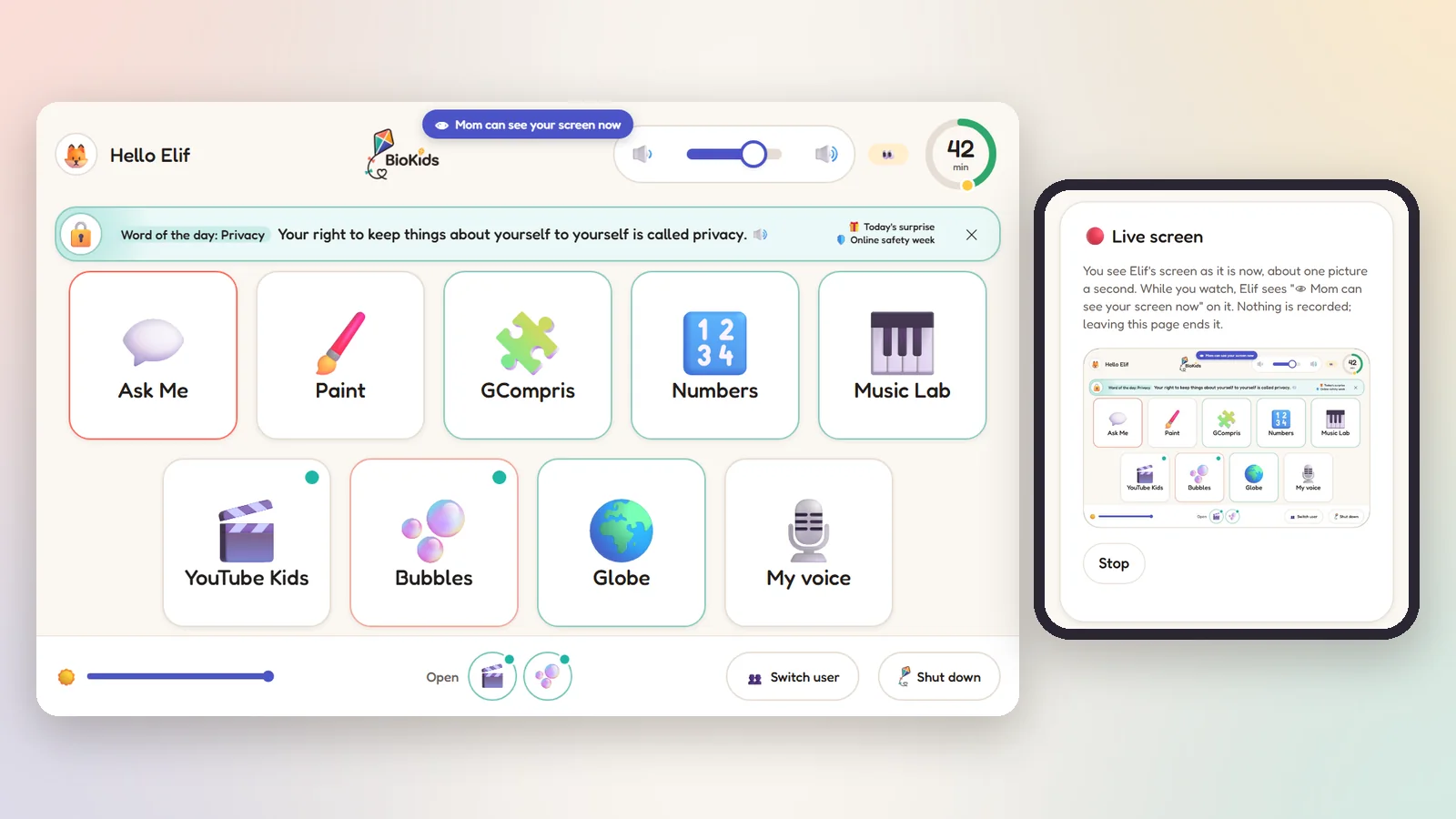
Big tiles, a ring showing the time left, buttons that read themselves aloud, and two friends: Zio and Sio.
Live view
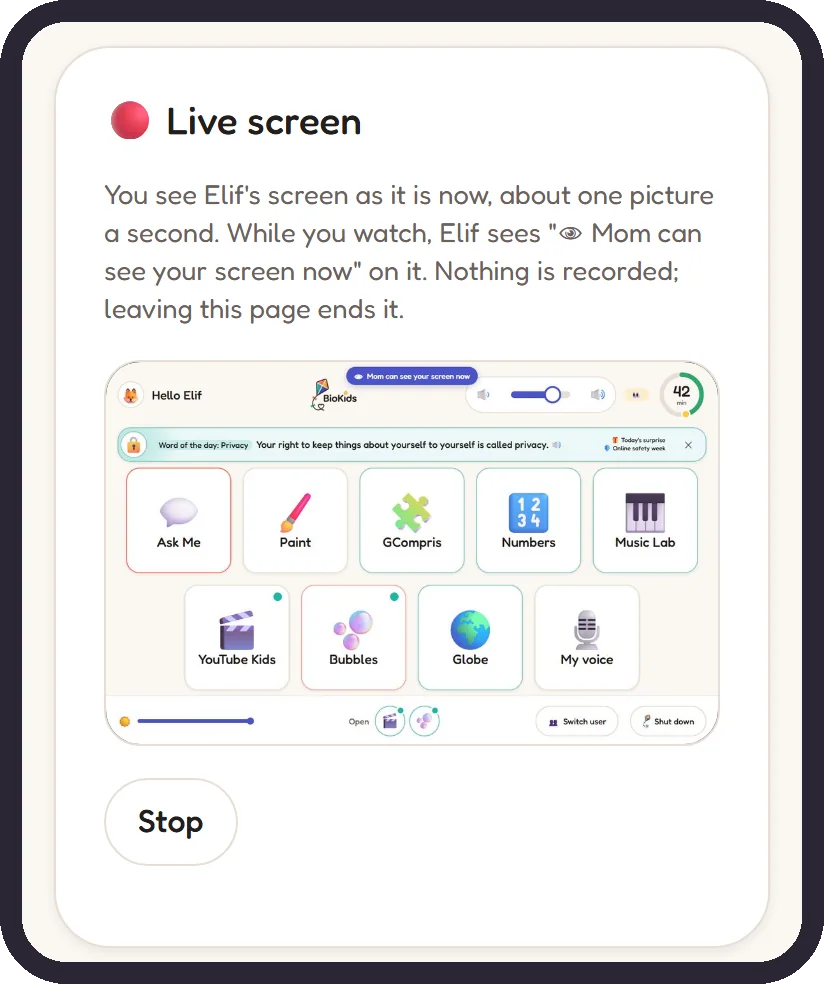
Press Watch live in the panel and see your child's screen at about one picture a second. At home or at work, it makes no difference.
Ask Me · on-device AI
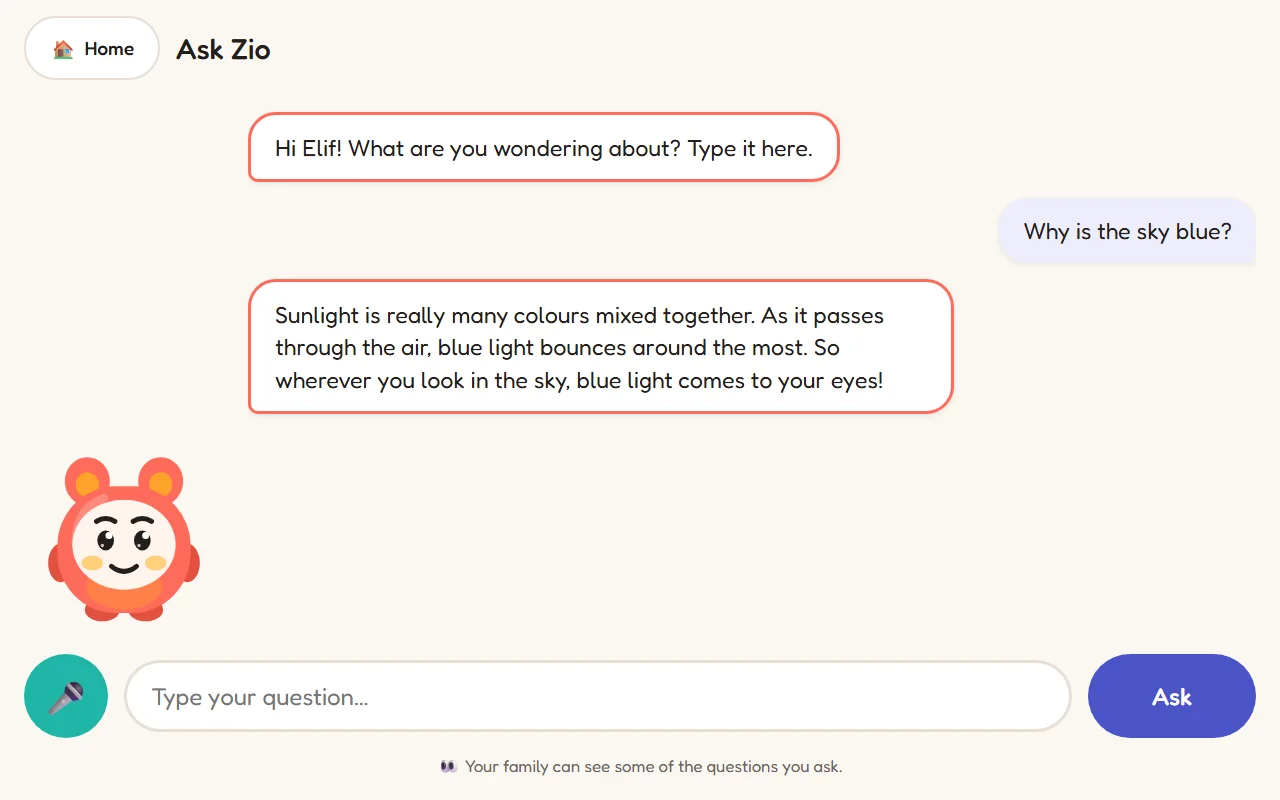
The child types a question or asks it aloud, and gets a short answer for their age, in the language they asked in. The answer comes from a model running on the computer itself.
Time rules
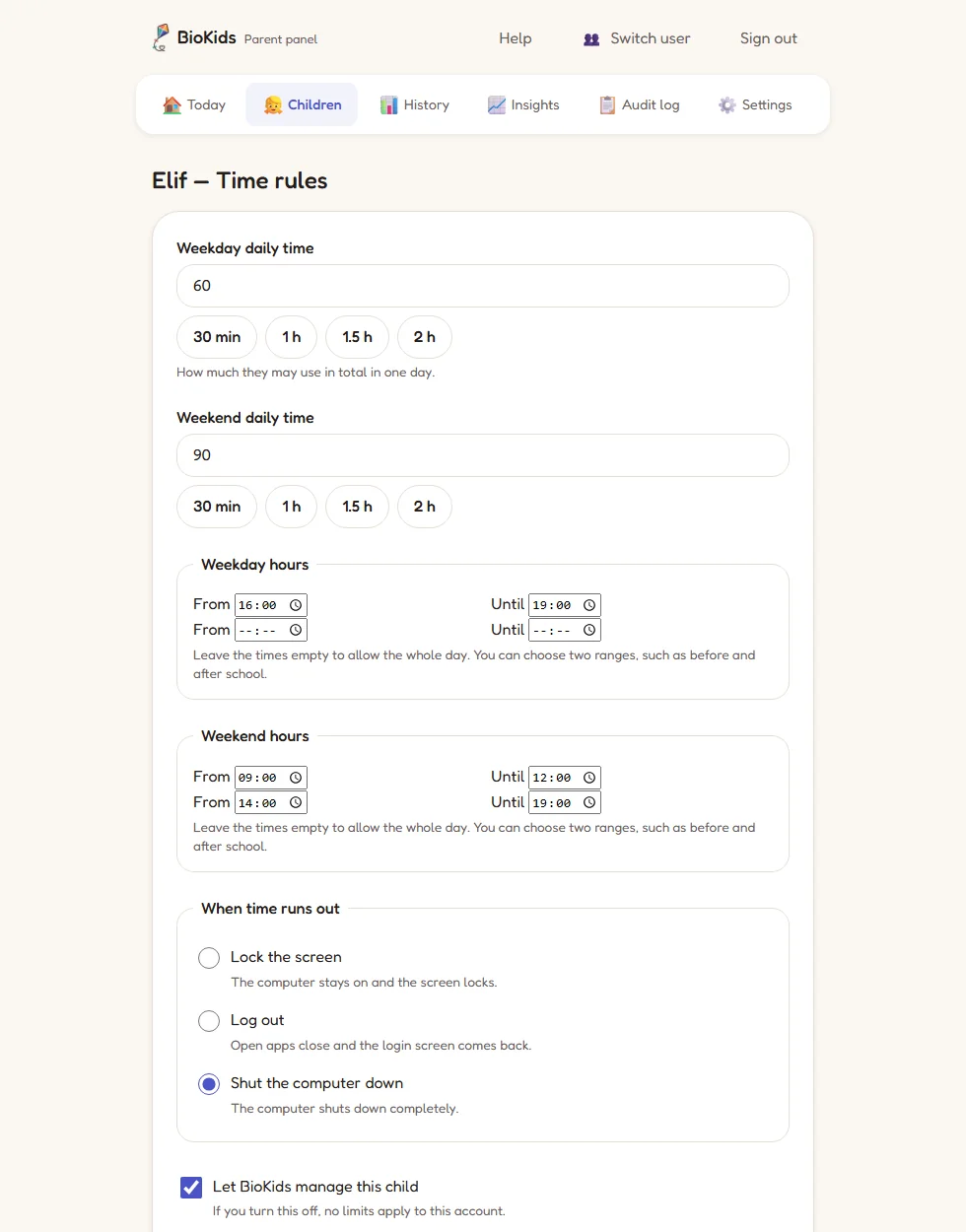
Choose the daily minutes and the hours they can use the computer, for weekdays and weekends. BioKids counts, warns and enforces.
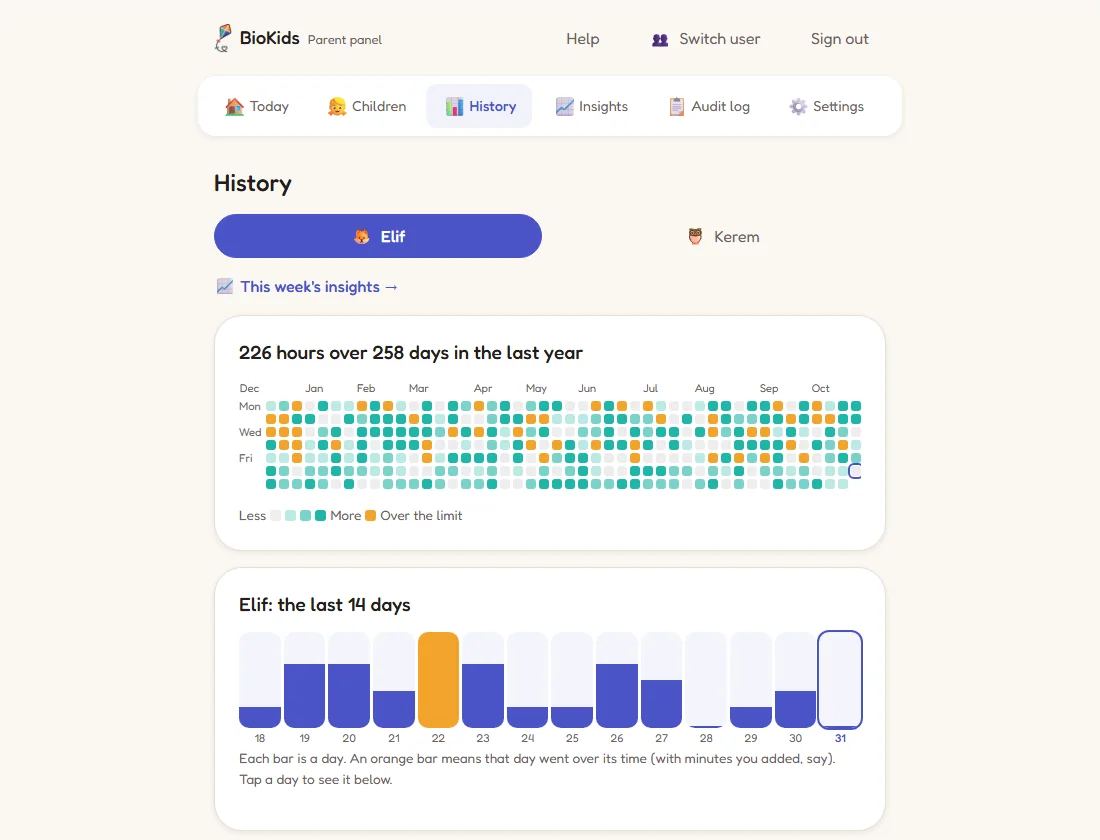
History and insights
The Today screen shows each child's time left; History and Insights show where the time went.
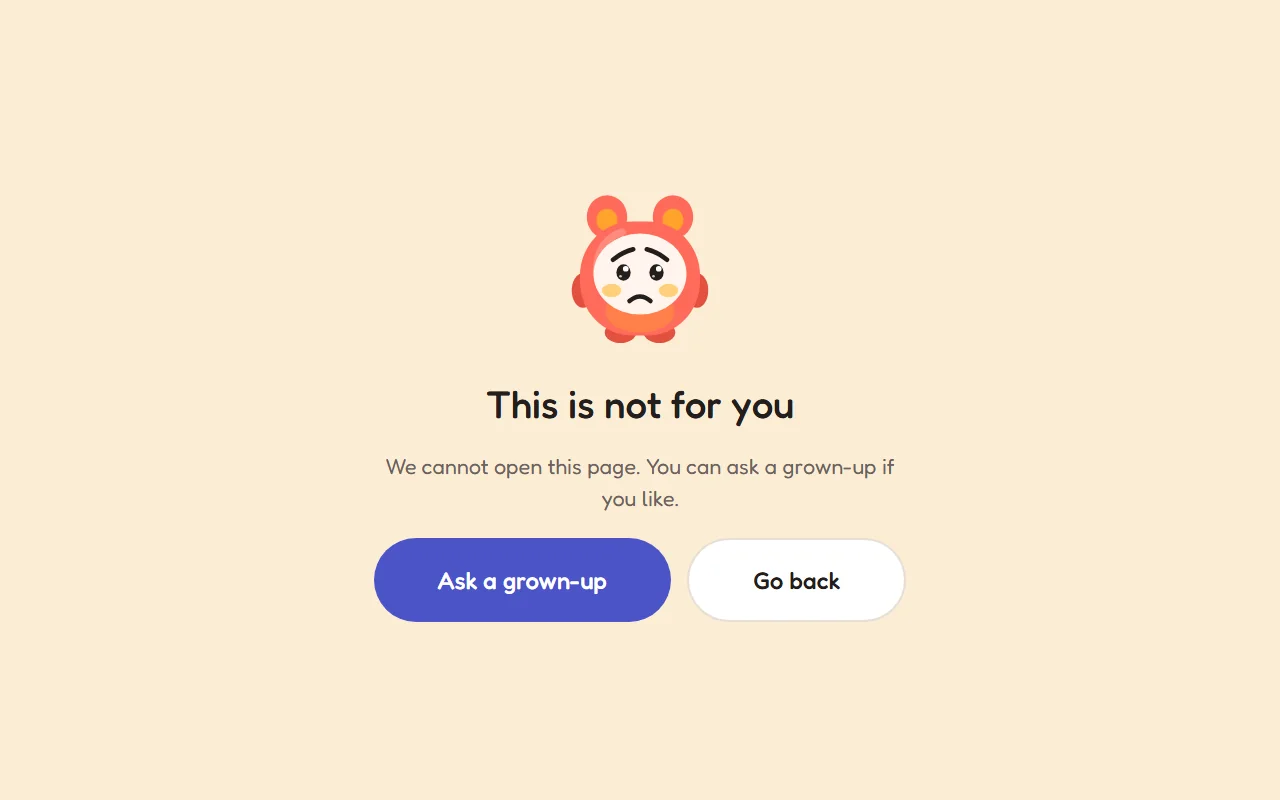
Safe browsing
Adult, gambling, malware and scam sites are blocked by a filter on the computer, on the children's accounts only.
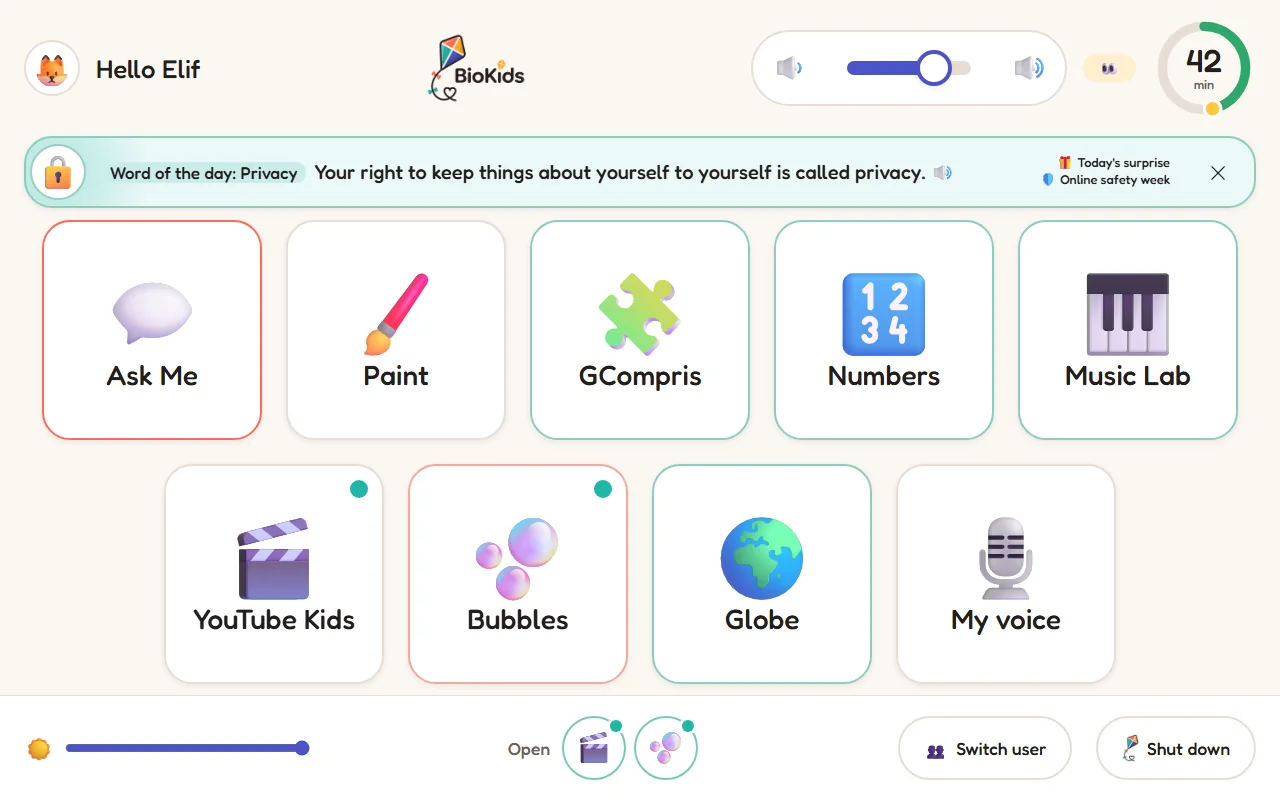
The child's screen
The child signs in by tapping their picture and lands in a launcher of the apps and sites you chose.
How it works
You set the rules once; then BioKids reminds, counts and tells you, so you do not have to.
The child signs in by tapping their own picture. No password, no desktop.
If you like, a 5-minute break every 40 minutes, with a few moves for the eyes.
A blocked site? The child asks, the request reaches your phone, you press "Allow".
Zio says so aloud. Once a day the child can ask for a last round to finish what they are doing.
The panel suggests a few things to talk about from your child's day: new words, the riddle they solved.
Comparison
Most parental controls make you open an account and send your child's day to a company's servers. BioKids never does.
| BioKids | Typical cloud app | |
|---|---|---|
| Account needed? | No | Yes |
| Where is the child's data? | Only on this computer | On the vendor's servers |
| Price | Free | Often a subscription |
| Open source? | Yes (MIT) | Usually not |
| Where does the AI run? | On the computer itself | In the cloud (if any) |
| Does the child know they are supervised? | Always | Depends on the app |
| When the internet is down | Every rule still works | Depends on the app |
Getting started
A USB stick and half an hour are enough. Installing needs no internet either.
Debian 13 with BioKids, about 3.3 GB. Free.
Download page →An 8 GB stick, with balenaEtcher or Rufus, in a few clicks.
USB guide →Start from the stick and install; at the first start a nine-step wizard welcomes you.
Install guide →Promise
These are written into the project's constitution; no feature may break them.
No telemetry, no analytics, no cloud inference. Every outbound connection is listed in the open.
No hidden screenshots, no keylogging. Supervision is always visible.
If protection breaks, the session locks and you are told. Never "continue unprotected".
Anything that could lock you out is optional, reversible and documented.
Every core feature works with the network cable unplugged.
A setting that needs a paragraph of explanation lives behind "Advanced".
Open source
All of BioKids (the background service, the parent panel, the child's launcher, the assistant and the ISO) is on GitHub under the MIT license. Read how it works for yourself, report a bug, or send a translation or a hardware report.
FAQ
BioKids is a free, open-source parental-control system for children aged 4–10, built on Debian 13. It turns a computer into one a young child can use alone: the child signs in by tapping their picture and lands in a launcher of big tiles, with screen-time limits, safe browsing, a live view for the parent's phone and an AI assistant that runs on the computer itself. No account and no cloud.
Yes. BioKids is completely free and open source under the MIT license. There is no subscription, no ads, no account and no "premium" edition. The source code is on GitHub.
Yes. Time limits, the launcher, the voices and the rules all work with the network cable unplugged; even installing from the ISO needs no internet. The network is needed only for updates, phone access, email notifications and the downloads you start (the assistant's model, the natural voice, the offline Wikipedia).
Not unless you ask it to. The installer offers to shrink Windows and install beside it; the computer then asks which one you want at every start. The disk is erased only if you choose to use the entire disk. Either way, back up your important files first. Step by step: install beside Windows.
BioKids is made for one curious 4–10-year-old alone at the computer. Changing the system clock does not add time; the child has no terminal, cannot install software, the filter runs on the children's accounts, and if something breaks the session locks. It does not stop someone who boots from a USB stick, or an adult helping the child. In the panel, Settings → Protection and the Help guide "Protecting the computer itself" explain how to protect the computer itself (for example with a BIOS password).
No. BioKids never records a screen. The one exception is the live view you start in the panel: while it runs, a sign on the child's screen says so, no frame is written anywhere, and it ends when you leave the page.

Free, open source, and no account needed. A USB stick and half an hour are enough.