
Ask Me (Sor Bana) is an AI assistant that answers your child's questions with short answers for their age. It runs on the computer itself: questions and answers are never sent anywhere. It is optional and stays off until you turn it on.
Turning Ask Me on
Open the child's Assistant page
In the panel go to Children and press Assistant on your child's card.
Download the models
In the Models on this computer box, press Download the models. BioKids picks the right model for the computer's memory by itself:
Computer's memory What is downloaded In total 7–12 GB Gemma 4 E2B language model (3.35 GB), Whisper small (190 MB), offline Wikipedia in Turkish and English (138 + 297 MB) about 4 GB 12 GB or more Gemma 4 E4B language model (5.15 GB), Whisper large-v3-turbo (574 MB), the same Wikipedia packs about 6.2 GB The download runs in the background with a progress bar; if the connection drops, press the button again and it carries on where it stopped. Every file is checked against a pinned SHA-256 value and written to
/var/lib/biokids-ai/models.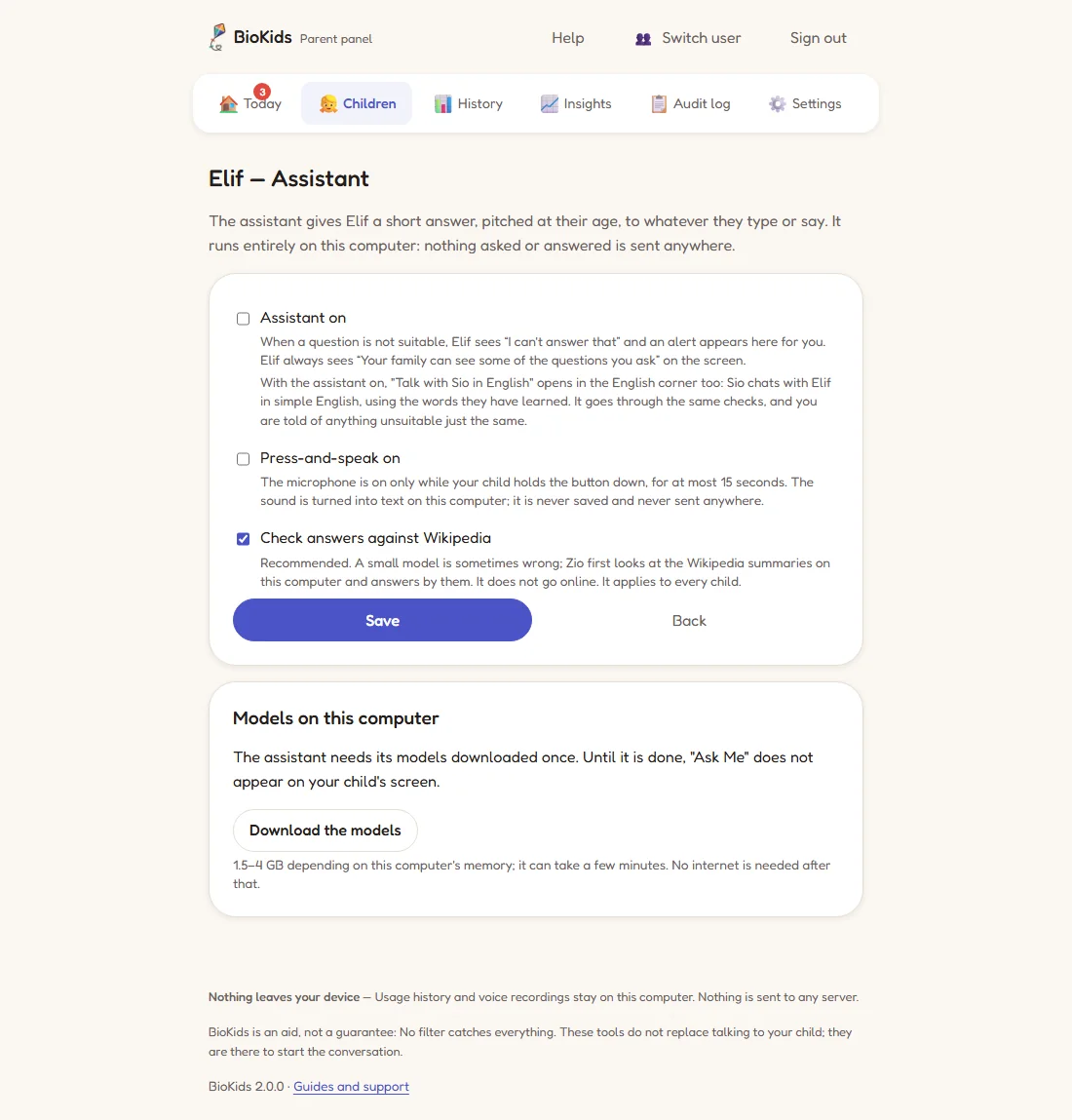
Real screenshot Before the models are downloaded: the Download the models button at the bottom. The table above has the download sizes. Turn it on for your child
When the download is done, tick these on the same page and press Save:
- Assistant on: turns Ask Me on for this child. Each child is turned on separately.
- Press-and-speak on: the child can also ask out loud. The microphone opens only while the child holds the button down, for up to 15 seconds; the voice is turned into text on the computer and never recorded.
- Check answers against Wikipedia: recommended, and on from the start. A small model is sometimes wrong; Zio first looks at the Wikipedia summaries on the computer. It applies to every child.
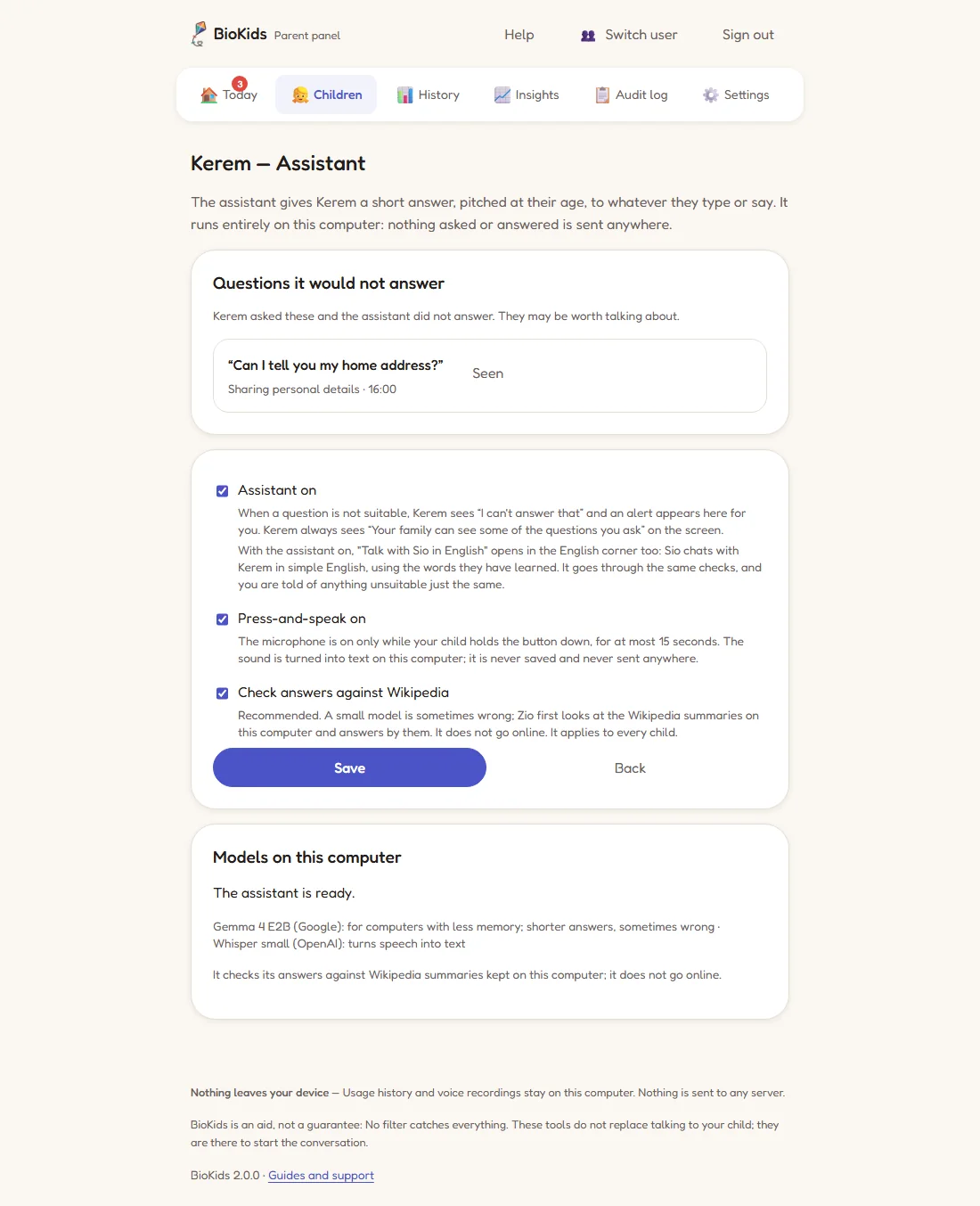
Real screenshot The assistant is ready and on. At the top, a question it would not answer. Let your child ask
An Ask Me tile appears in the child's launcher (it stays hidden until the models are ready). The child types a question, or holds the microphone button and says it; the answer arrives sentence by sentence and Zio reads it aloud.
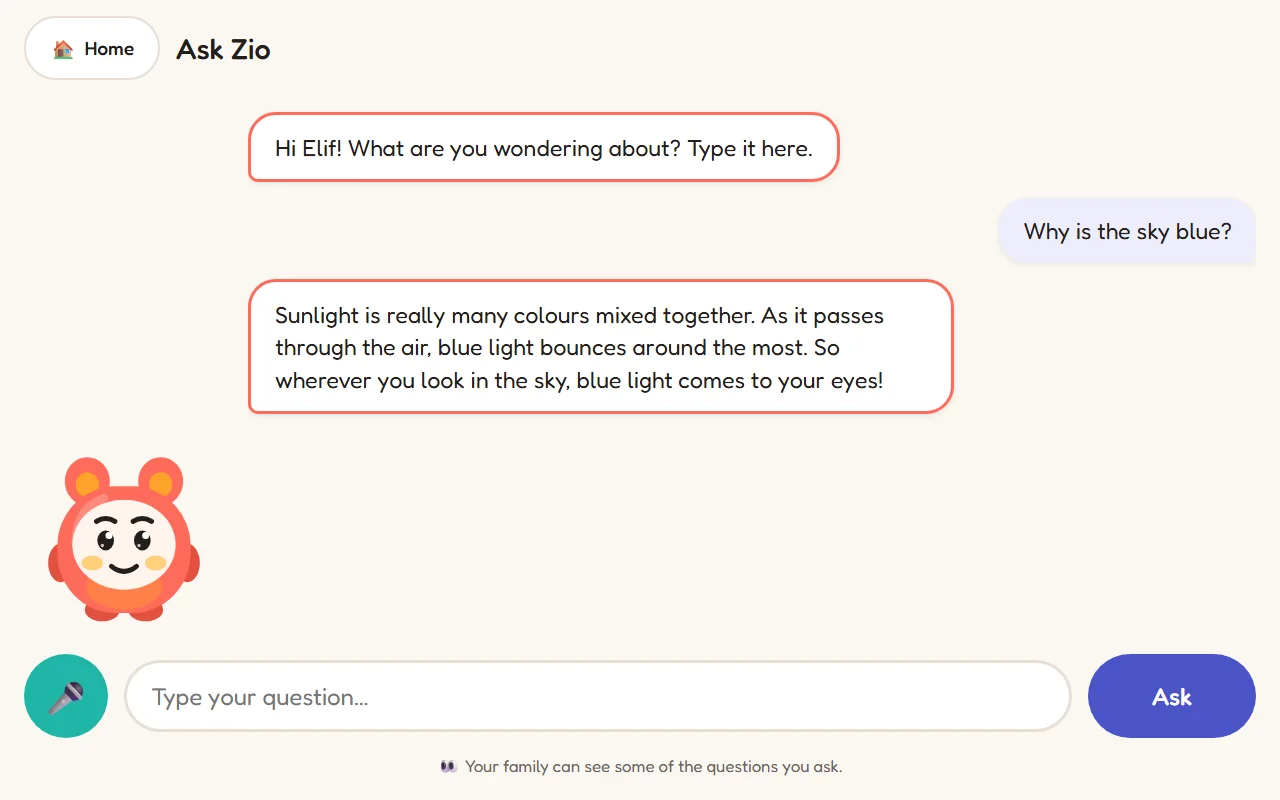
Real screenshot The child's screen: the question, a short answer, and "Your family can see some of the questions you ask." at the bottom.
How it answers
- Briefly: at most 5 sentences for ages 4–7, at most 7 for ages 8–10.
- In the language it was asked in: Turkish for a Turkish question, English for an English one.
- Sums are not guessed: additions and subtractions are worked out by the computer, not by the language model.
- In moderation: a child can ask at most 20 questions in 10 minutes.
What it will not answer
When a child asks something they should not, it says "I can't answer that". The topics it refuses: sex, self-harm, violence and weapons, drugs, alcohol and gambling, sharing personal details (an address, a phone number…), rude words, things not suitable for their age, trying to get round the rules, and beliefs (those are left to the family).
What you see
- The questions it would not answer, in the child's own words, wait under Questions it would not answer on the Assistant page. Press Seen once you have read them. A note also appears on Today, and if email notifications are on, you get the topic's name only.
- Ordinary questions are not kept. "Why is the sky blue?" is asked, answered and forgotten.
- The child always sees "Your family can see some of the questions you ask." on the screen.
Speed, memory and waiting
How fast it answers depends on the computer's processor. The model is loaded into memory at the first question, so the first answer after a quiet spell can take longer. After 10 minutes without a question the model leaves memory and the computer is light again.
Offline Wikipedia and English chat
The Wikipedia packs that come with the models do two jobs: they check the assistant's answers, and for ages 8–10 they can become a Wikipedia tile in the launcher that works without the internet. With the assistant on, Talk with Sio in English also opens in the English corner: Sio chats in simple English using the words the child has learned, with the same checks.
Something wrong?
There is no Ask Me tile on my child's screen
The tile appears once the models are fully downloaded and the assistant is on for that child. On the Assistant page, check that it says "The assistant is ready." and that Assistant on is ticked.
The download stopped part-way
Check the internet connection and press Download the models again; it carries on where it stopped. Make sure there are at least 7 GB free on the disk too.
The assistant said something wrong
It can happen: small models running on a computer are sometimes wrong. With Check answers against Wikipedia on, it happens far less. Telling your child "the assistant can be wrong too; if you're not sure, ask me" is a good habit.
My computer has less than 7 GB of memory
Then the assistant is not installed; everything else in BioKids runs on 4 GB. If you can add memory, the assistant can be turned on later.